No video selected

Select a video type in the sidebar.

Features you can't live without

btm-slide-01


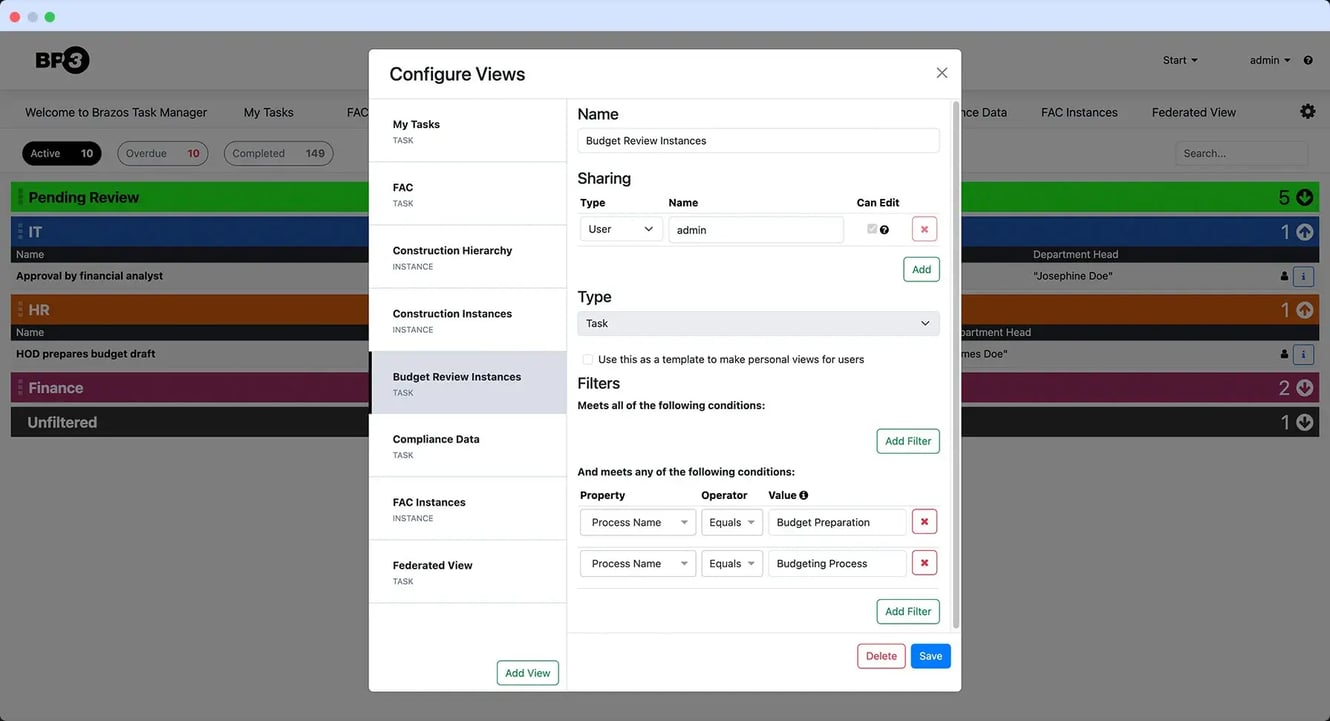
Flexible and Easy to use

Customize task views, filters, and layouts to fit your business—no code
required. The modern interface adapts to the way your teams work, keeping 
focus on what matters most.
btm-slide-02


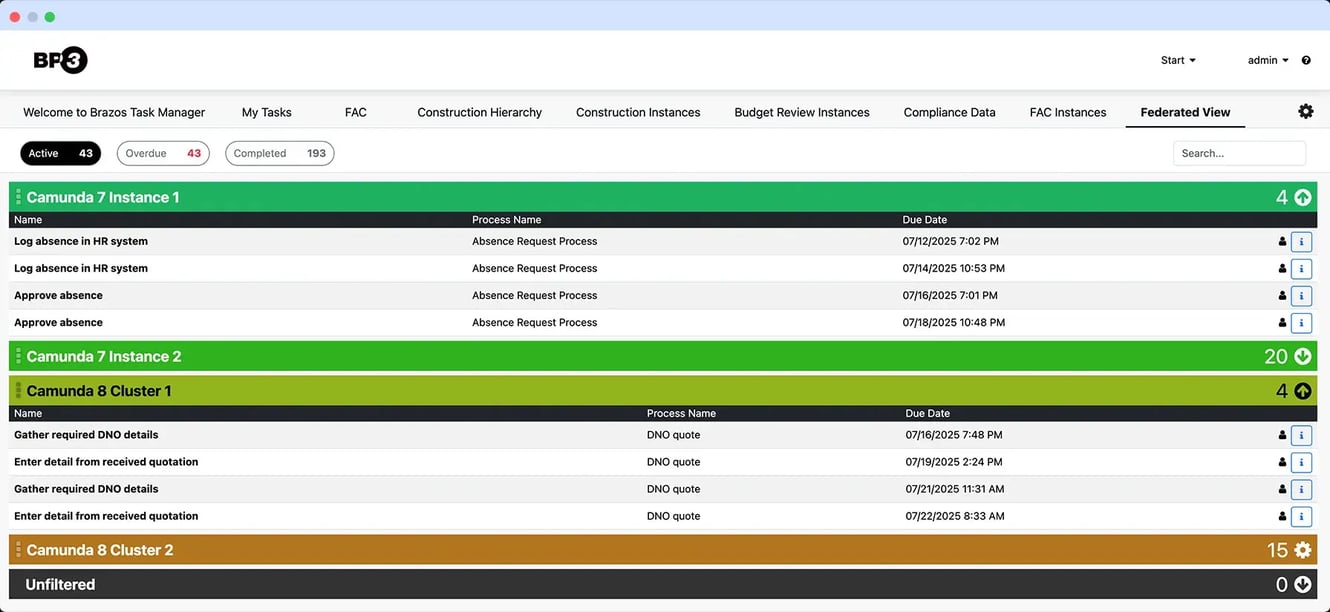
Built for Camunda

Designed for Camunda 7 and 8, Brazos Task Manager unifies task
management across environments and supports organizations moving from 
Camunda 7 to 8—providing a consistent experience throughout the 
transition.
 

btm-slide-03


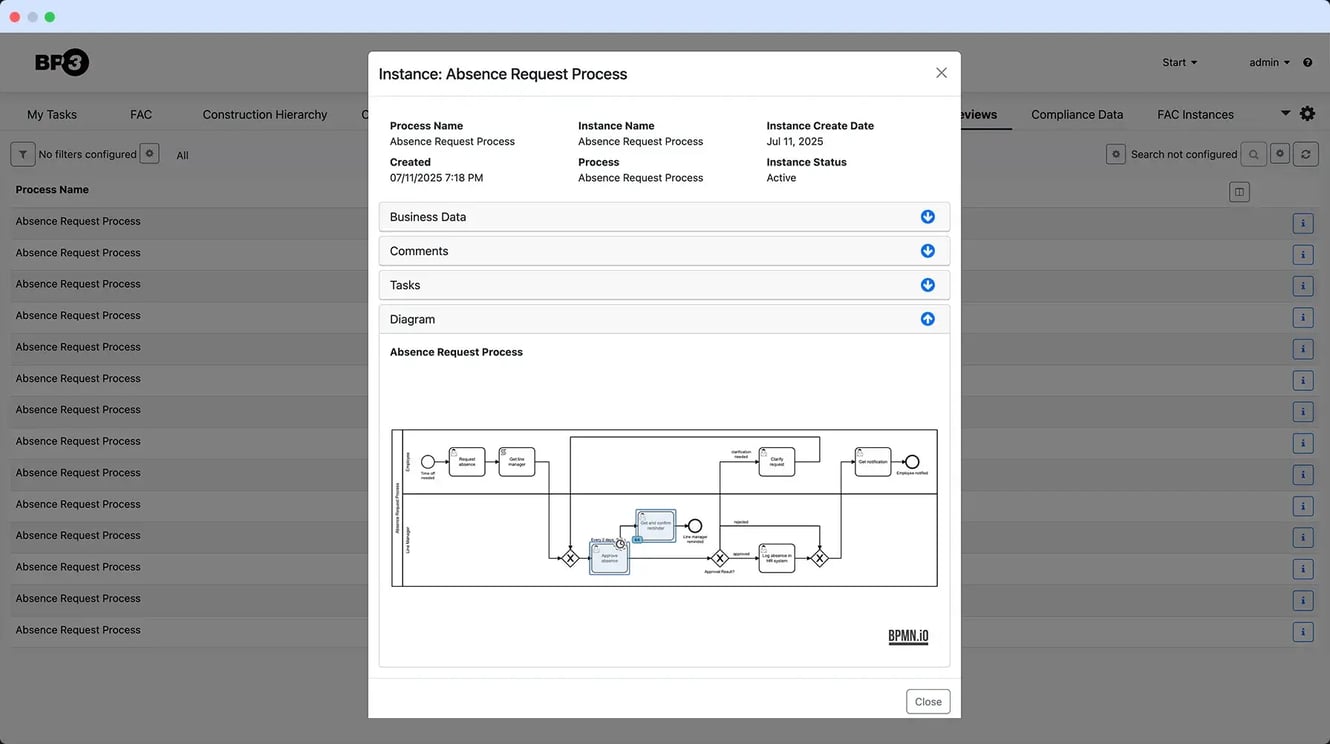
More than just tasks

Zoom out and see the process context, not just your tactical tasks. Brazos Task Manager gives users the ability to see not only their tasks, but also the broader context of the process instance with customizable views – display the process data that is needed to inform your decision making or structure views with hierarchical data allowing you to drill into specific information.
 

btm-slide-04


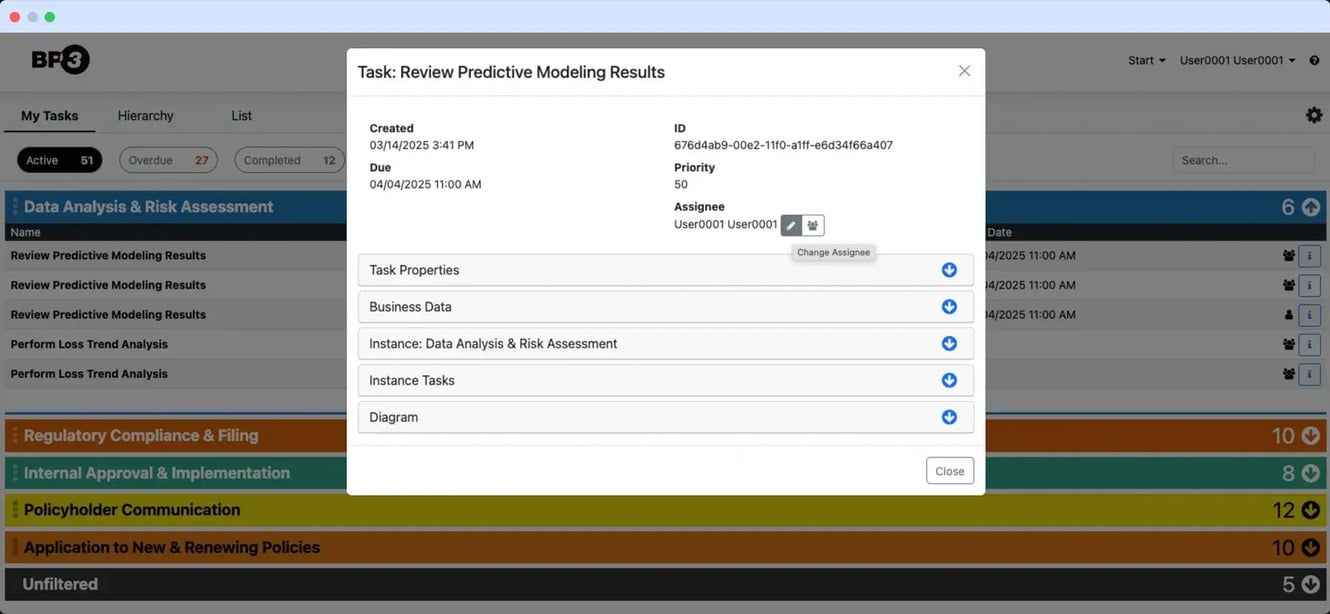
Data Integrations

Bring data and actions together in one workspace. Integrate with external systems, view key business data in context, and open related apps directly from tasks to keep work moving.


See how we deliver more - faster.


Brazos Task Manager (for Camunda)

Custom UI Build

Time to Implement

Quick setup with configuration—no custom dev required.

Long design and build cycle.

User Experience & Customization

Configurable dashboards and task views—no coding.

Fully customizable but dev-heavy.

Custom UI Compatibility

Easily integrates with custom UI and/or Camunda Forms

Could be built to integrate with custom UI and/or Camunda Forms

Scalability & Performance

Enterprise-ready for thousands of users and large volumes.

Depends on custom architecture.

Data Integration

Connect external data and launch related apps from tasks.

Built and maintained from scratch.

Cost & Maintenance

Predictable subscription with updates included.

High—continuous dev and maintenance.

Support & Ecosystem

Ongoing BP3 support and enhancements with new Camunda releases.

No dedicated support—internal or outsourced.

Process Visibility

Instance views allow you to start from a broader context. They can be filtered lists, or have a hierarchical structure (e.g. region, state, city).

Custom code needed to build and maintain.

Camunda Federation

Federate work from multiple Camunda 7 or 8 environments into a single Task Manager interface. Makes separations of concerns and migration between versions seamless and transparent to users.

Complex custom code.

Getting started is simple and fast

04 Connect

Integrate with your process engine and identity provider. Federate multiple Camunda environments to provide users with a single view of all their work in the same interface.

34 Configure

See your work the way you need to. Easily configure task and process views, filter and group data, and display the details that matter — empowering teams to focus, prioritize, and perform at their best.

43 Execute

Work from a focused queue launching tasks using Camunda Forms, custom UIs or deep-linking to other systems.

67 Optimize

Supervisors monitor aging, bottlenecks, and handoffs. Adjust thresholds, rebalance workloads, and improve throughput.

BP3 Support & Enhancement Services

BP3 ensures Brazos Task Manager continues to evolve with your business.

57From initial implementation through each new release, BP3 provides ongoing support and configuration assistance to keep your environment current,
stable, and performing at its best.

In addition, BP3 offers a full range of Camunda services—including installation and support, process and rules design, UI/UX development, and intelligent automation—to help your organization streamline operations and extend the value of process orchestration across your automation ecosystem.


 

Why wait? Get started today.

Discover how Brazos Task Manager can transform your Camunda task management experience. Contact BP3 to see it in action.

CUSTOMERS

We work with Companies Just Like Yours

  • 5e1782375a171ef57bfbd3e8_Allianz-logo-p-500
  • 5e1780f681e2c81ff93356b0_1280px-Barclays_logo.svg-p-500
  • 5e177f7ee2aa64cd15a08d8b_1024px-Pepsico_logo.svg-1-p-500
  • 5e177ef49c76ee2791fb67d1_0_kingfisher_logo copy-p-500
  • 5dfb9cbdb07418845a4cdd96_Eli_Lilly_and_Company.svg
  • 5dfb9c2f149cd95494b9ed63_580b57fcd9996e24bc43c51d
  • 5dfb9b388d40dd659be2d845_boeing-logo-png-transparent
  • 5dfb9a8dc52dfda66a707105_Davita_logo_blue-700x261
  • 5dfb9d55cb94d5d75375b83e_Walgreens_logo

FREQUENTLY ASKED QUESTIONS

YOUR QUESTIONS
ANSWERED

 
What backend requirements are needed for Brazos Task Manager?
Brazos requires Camunda, Elasticsearch, and Tomcat to run. 
What help can I get from BP3 with installation and configuration?
BP3 will work hand-in-hand with your IT team to install and configure Brazos Task Manager. 
Do you support Camunda Cloud?
 Brazos Task Manager is unable to connect with Camunda Cloud, due to external resource capabilities available from Camunda Cloud today. This may change in the future. 
Can you install Brazos in cloud environments?
Yes, Brazos Task Manager can be set up in the cloud provider of your choice. For example, AWS, Google Cloud, or Azure, to name a few popular platforms. 
What BPMN engines does Brazos Task Manager support?
We currently support Camunda versions 7 & 8 as well as IBM BAW. Feel free to reach out if your platform is not mentioned here. We can work with you to create other custom solutions. 
What are the ways I can configure Brazos Task Manager?
You can create different data views with filtering, enabling you to isolate certain process instances. For example, you can create a view that is strictly for customer jobs, and an internal, HR view. A task view can show any business data available, to allow you to understand what is needed to be acted upon. Additionally, Brazos Task Manager provides custom help dialogs, to enable linking to support articles. 
Who is this product designed for?
Our platform is ideal for anyone who needs to manage business processes, teams that need to execute the tasks, as well as executive staff who require visibility into those business processes. 
Can Brazos Task Manager match my brand?
Yes, we will customize the platform with your logo and brand colors. 
What pricing options are available?
We offer a variety of support agreements, please contact info@bp-3.com to determine which scenario is best for your organization. Typically once the initial platform is installed and configured, we offer choices between business-hour support and 24/7 support, as well as licensing for ongoing updates.
Where can I find release notes information on the latest updates?
Our release notes are located within our customer support portal, located here.

Want to stay up to date with BP3's insights?

Subscribe to our mailing list