Design once.
Deliver consistent apps across your entire low-code estate.
A cross-platform design system and component library for OutSystems and modern front-end stacks. Build accessible, consistent, scalable experiences without rebuilding the same UI patterns on every project.
BP3's enterprise-grade support | Built for scale | Built by BP3 Global
Built for OutSystems teams and front-end devs working in React and modern web stacks.




Stop shipping one-off UIs.
Start scaling a design system.
Most low code teams move fast at the start, then slow down under the weight of inconsistent screens, duplicated widgets, and accessibility gaps. Brazos DS gives you a reusable, tested design system that works across OutSystems and front-end apps so every new project starts from a solid, shared foundation.
Consistent Experiences Across Every App
One design system, one component library, many applications. Every team works from the same patterns and interaction rules.Accessibility And Compliance Built In
Components are designed with accessibility and interaction best practices, so you do not have to retrofit quality later.
Faster Delivery, Less Rework
Stop rebuilding the same buttons, headers, filters, and cards. Ship new pages by composing existing, tested components.
Lower Maintenance Cost
Fix something once in the design system and propagate it everywhere instead of patching every app individually.
Front-End Expertise On Demand
BP3 brings OutSystems, UX/UI, and modern front-end skills to teams that are usually heavy on back-end developers.
WHAT YOU GET WITH BRAZOS DS
Everything you need to standardize your UI, in one package.
Brazos DS is more than a theme. It is a complete design system and implementation service for your low-code ecosystem.
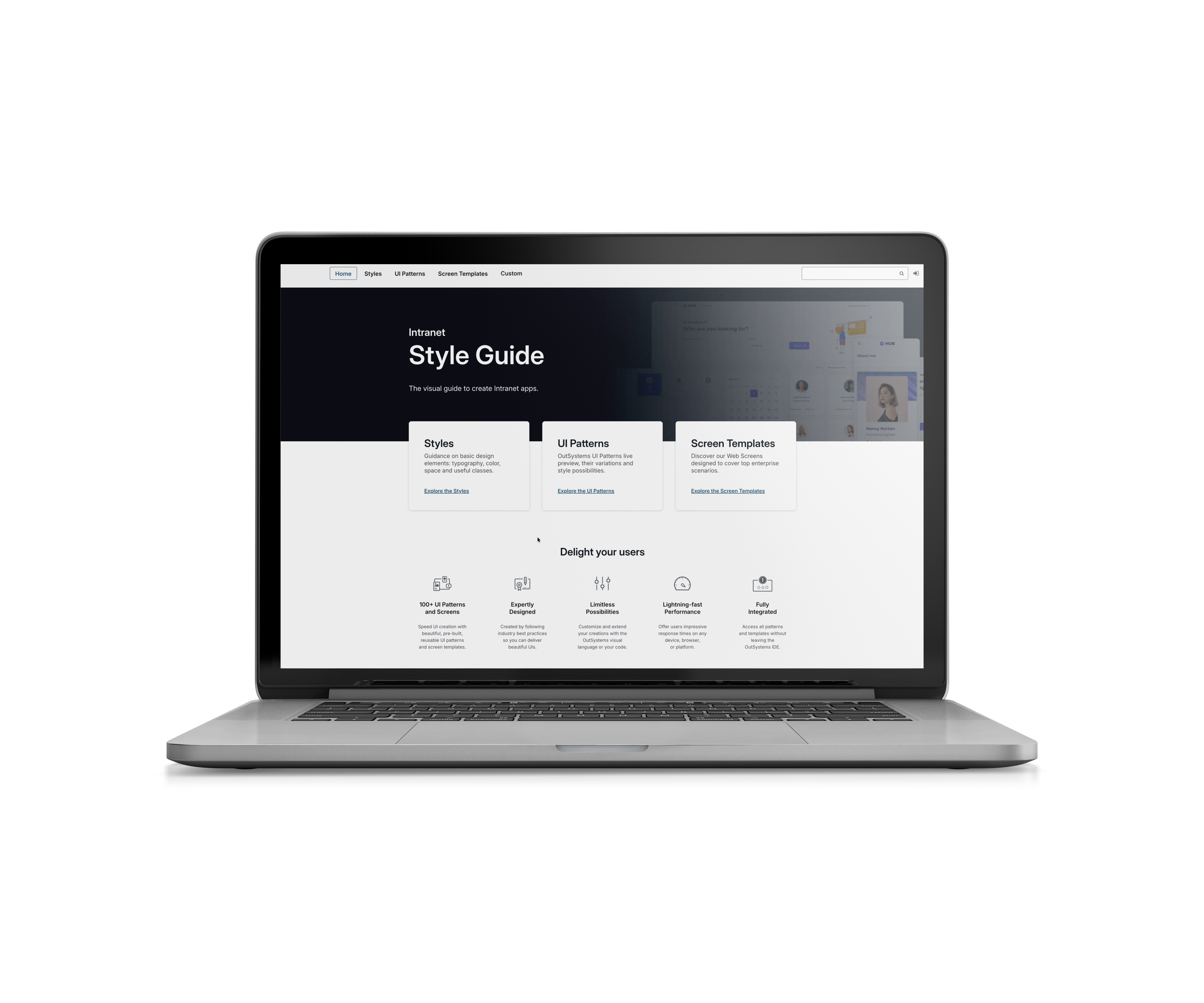
Live style guide
An interactive reference that shows typography, color, spacing, and components exactly as they appear in your apps.
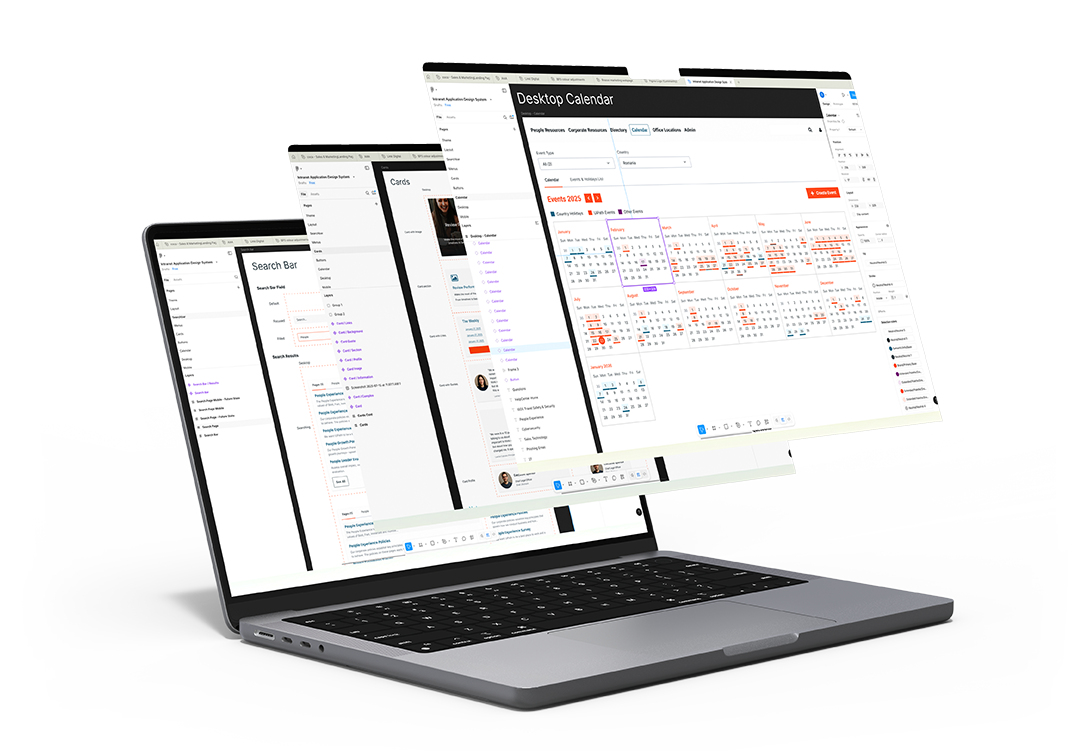
Figma design system
Tokens, components, patterns, and documentation that your designers and developers can share.
Cross platform component library
Reusable UI components implemented in OutSystems and front end frameworks such as React, ready for your developers to drop into any app.
Subscription widgets and custom components
Library of pre-defined components plus custom widgets tailored to your brand and use cases.
Quality built in
Stakeholder validation, automated testing on custom patterns, and regular quality reviews by UX and front end experts.
Built for mixed low-code
and pro-code teams.
Whether your apps live in OutSystems or custom front-ends, Brazos DS keeps them visually and behaviorally aligned. The same component model works across platforms, so your teams do not have to juggle multiple UI kits.
Enterprises scaling low code
Multiple OutSystems apps owned by different teams, with inconsistent UX and branding
Organizations rebranding or modernizing
Teams that want to refresh legacy UIs and avoid fragmented experiences during rebrand or modernization waves.
Designed for organizations with more than “just a few apps”.
Consulting & delivery partners
Firms that need a repeatable design system to deliver consistent solutions to many clients.
Partners with visually different applications
Companies with a “zoo” of app interfaces that want a single, scalable standard.
From scattered screens to a
living design system in four steps.
Discover and Assess
We inventory your current apps, identify inconsistencies and accessibility gaps, and align with your brand and UX principles.
Design the System
Our UX team builds your Figma design system and initial component set, informed by real usage and your priority journeys.
Build the Components
OutSystems and front-end specialists implement the cross-platform component library, plus agreed custom patterns. Automated tests and feasibility reviews are baked into the process.
Enable and Scale
We roll out the live style guide, train your teams, and help you govern adoption, so every new app uses Brazos DS by default.
Plans that match your level of maturity.
Foundation
For teams that need a strong starting point.
Scale
For organizations with complex ecosystems.
Why teams choose Brazos DS
instead of a generic UI kit.
Depth in OutSystems and automation
We work across low-code, automation, and enterprise UX programs, not only on visual design. Brazos DS fits your broader automation roadmap; it is not a side project.
UX, front-end, and platform under one roof
Our teams blend OutSystems, front-end engineering, and UX/UI expertise so you do not depend on back end heavy teams for design decisions.
Proven delivery model
Agile delivery, clear roles, automated testing, and stakeholder validation ensure your design system lands with the people who will use it.
Ready to stop reinventing your UI on every project?
Let us show you how Brazos DS can standardize your low-code user experience, accelerate delivery, and reduce maintenance cost across your application portfolio.
FREQUENTLY ASKED QUESTIONS
YOUR QUESTIONS
ANSWERED
Brazos DS addresses inconsistent user interfaces, fragmented user experiences, and accessibility gaps across low code ecosystems. It gives organizations a consistent, reusable, and scalable UI foundation for every application they build.
It’s built for enterprises with multiple applications, consulting firms delivering repeatable solutions, OutSystems partners, and organizations going through rebrands or modernization initiatives that require UI consistency across their estate.
Most low code teams are heavily back end focused. They lack dedicated UX/UI and front-end engineering capabilities, making it difficult to build consistent patterns, maintain accessibility, or scale a design system across multiple applications.
Every engagement includes a Figma design system, a live style guide, and a reusable component library (OutSystems + front-end). Optional add-ons include custom components, templates, and subscription widgets.
Yes. Brazos DS provides a cross-platform component library that works across OutSystems and modern front-end technologies such as React, ensuring consistency regardless of application stack.
While OutSystems offers basic components, Brazos DS delivers informed interaction design, accessibility improvements, custom patterns, and reusable components engineered for enterprise scalability, all tailored to each customer’s brand and UX needs.
Every custom pattern undergoes automated testing, stakeholder validation, UX and front-end feasibility reviews, and a full quality assurance process designed for performance and maintainability.
OutSystems native components already follow performance best practices. Custom components are optimized during implementation to ensure they remain lightweight, scalable, and aligned with enterprise performance expectations.
Teams stop rebuilding basic UI elements. Instead, they assemble pages using reusable, pre-tested components, reducing delivery time and preventing costly rework across multiple projects.
Fixes and enhancements happen once in the system, not in every individual application. This dramatically reduces long-term support, update effort, and UI drift across teams.
A live style guide, clear documentation, shared tokens, and governance support help every team build using the same standards. The result: smoother adoption and consistent delivery across all applications.
The core design system is delivered at a fixed price. Enhancements - such as custom components, templates, or page patterns - are delivered using a scalable token-based model that grows with customer needs.
Custom components undergo a review to ensure they do not introduce vulnerabilities. OutSystems’ built-in security features, including the OutSystems Security Center, provide additional protection.
No. Brazos DS does not include full security audits. However, components are built to align with OutSystems security best practices and reviewed to avoid common risks.
Accessibility is built into the components from the start. We address accessibility gaps, apply interaction best practices, and ensure the resulting applications meet modern accessibility expectations.
Stakeholder validation, automated testing, feasibility reviews, and UX quality checks ensure the design system maintains consistency, reduces risk, and supports long-term compliance across all applications.
Want to stay up to date with BP3's insights?
Subscribe to our mailing list